Cloud Security
GCP Ransomware Protection: Cloud Strategies
Ransomware in Google Cloud usually starts with a stolen credential or a permission that was too wide, and it does the most damage when the backups can be reached too. Protection comes down to strong sign-in for administrators, least privilege, backups no one can delete, kept apart from the workloads, and a restore you have tested.

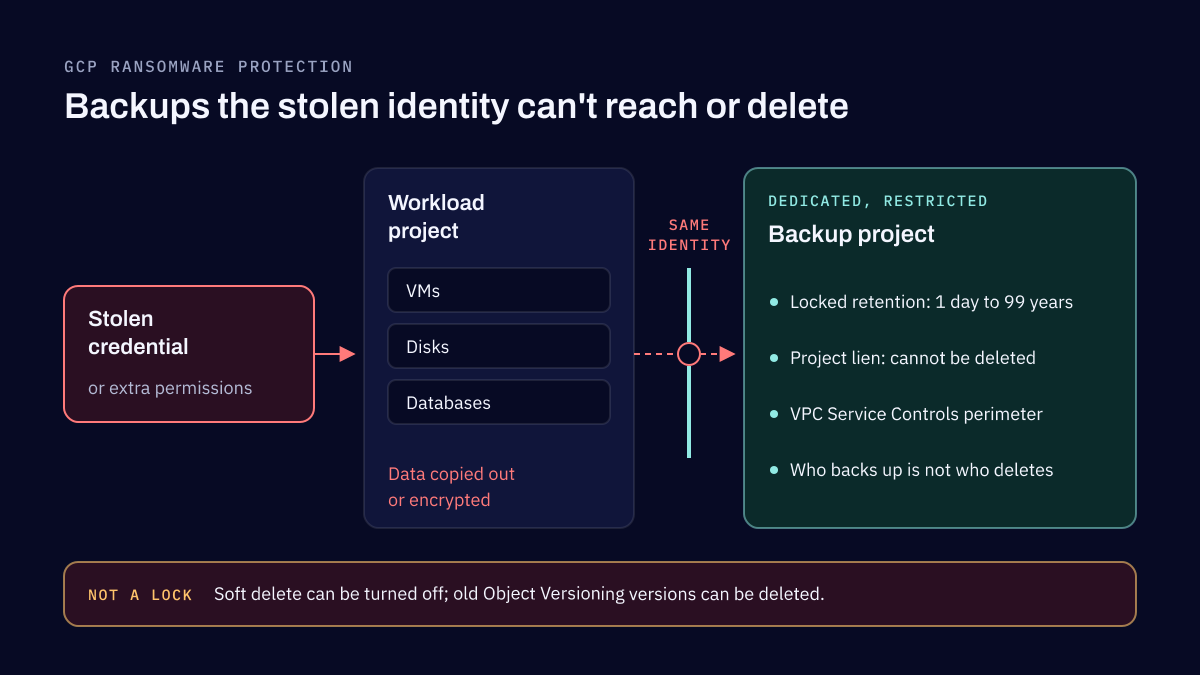
Ransomware protection on Google Cloud means keeping attackers away from the accounts that can change your environment, and making sure that if they get in anyway, there is a copy of your data they cannot encrypt or delete. In practice that is four things: strong two-step verification for administrators, least-privilege access, backups locked against deletion and kept in a separate project, and a restore you have actually tested. Google's own guidance, Mitigate ransomware attacks using Google Cloud, covers the same ground in more detail.
The threat is not going away. Verizon's 2026 Data Breach Investigations Report finds ransomware in 48% of breaches, and in Sophos's State of Ransomware 2026, compromised credentials were the root cause of 23% of attacks.
How ransomware reaches a cloud environment
The risks I see in cloud environments are rarely exotic. They are compromised credentials, an administrator or a service account with far more permission than it needs, an attacker who moves in from the on-premises network through a VPN or an interconnect, and backups that the same stolen identity can reach. Ransomware in the cloud does not need to encrypt a disk to do harm: copying data out and then deleting the backups is often enough to leave a company with no good option.
That is why the protections below are mostly about identity and about where the backups live, not about malware.
The protections that do the most for the least work
Strong sign-in for every administrator
Google now requires two-step verification for most accounts that use the Cloud console, rolled out by account type through 2025 and 2026, with federated accounts still to be announced. Do not wait for the deadline that applies to you. Enforce two-step verification in Cloud Identity or your identity provider for every administrator, and prefer security keys or passkeys, which resist phishing better than codes.
Least privilege, by policy
Remove basic roles such as Owner and Editor from people who do not need them, use role recommendations to find unused permissions, and grant high privileges only when needed with Privileged Access Manager, which gives just-in-time, temporary elevation. Organization policies make the rules stick. Organizations created since May 2024 get baseline constraints by default, including blocking service account key creation and limiting IAM members to your own domains. Older organizations should apply them on purpose, and add constraints such as public access prevention for storage and limits on external IP addresses for VMs.
Backups no one can delete
A backup the attacker can delete is not a backup. Backup and DR vaults store backups of VMs, disks and databases with an enforced minimum retention, from one day to 99 years. Once you lock it, no one, not even a project owner, can reduce that retention. For data in Cloud Storage, a locked Bucket Lock retention policy or Object Retention Lock in locked mode does the same for objects.
Soft delete, on by default for 7 days and configurable up to 90, helps you recover from mistakes, but anyone with enough permissions can turn it off. Object Versioning is weaker still: old versions can be deleted, and it does not protect against deleting the bucket. Neither replaces a locked retention policy.
Backups kept apart
Google's Backup and DR ransomware guidance recommends a dedicated, restricted project for backup vaults, a project lien so the project cannot be deleted, a VPC Service Controls perimeter around it, and separating the person who can trigger a backup from the person who can delete one. Since November 1, 2026, Backup and DR applies a project lien automatically to projects whose vaults hold backups under enforced retention.
The point is that the identity that runs your workloads, or that an attacker steals from them, should not be able to touch the copies you would restore from.
Watch for the attacks on your safety net
Before encrypting anything, attackers often go after the backups. Security Command Center Premium's Event Threat Detection has findings for exactly that, such as a deleted Backup and DR backup or vault, a shortened backup expiration and a reduced backup frequency. Two other controls are easy to overlook:
- Encryption keys. An attacker with access to Cloud KMS can schedule your keys for destruction, which makes the data they protect unreadable. Key versions wait 30 days by default before they are destroyed, a window that only helps if someone is alerted.
- Data leaving the perimeter. VPC Service Controls reduces the risk of data being copied out of services such as Cloud Storage and BigQuery, though it does not cover every service.
If you collect these alerts in a SIEM, make sure someone acts on them; our threat detection and SIEM work starts from that question.
What the cloud does not do for you
The belief I correct most often is that the cloud provider prevents ransomware and guarantees recovery. Google is clear that security is shared: for virtual machines and the data on them, most of the responsibility is yours. Encryption, backups and redundancy are necessary, but none of them stops an attacker who signs in with a valid administrator account, and none of them helps if no one has ever restored from them.
Sophos found backups used to recover in 66% of the cases where data was encrypted. The other 34% are the reason to test. A restore drill, run against your disaster recovery objectives, tells you whether the backups hold what you need and how long recovery takes. Good logging tells you what the attacker did before the encryption started, which is the subject of our article on cloud forensics readiness.
Where to begin
If you can only do a few things this month, enforce two-step verification for every administrator, list who holds Owner and Editor and remove what is not needed, and move one critical system's backups into a separate project with a locked retention. A cloud security review checks the rest, from permissions and network exposure to storage and logging, against the CIS Benchmarks, and a penetration test shows how far an attacker with one stolen credential could get. For the systems that still run on your own premises, a backup and recovery setup gives them the same protection: a copy no one can change or delete, and a restore tested before you need it.
Frequently asked questions
Does Google Cloud protect me from ransomware by default?
Partly. Google secures the infrastructure and now applies some security baseline policies to new organizations, but who can sign in, what they can do, how your data is backed up and whether it can be restored are your responsibility. Under the shared responsibility model, most security duties for virtual machines and the data on them sit with the customer.
Can ransomware delete backups in Google Cloud?
It can if the backups sit where the attacker's stolen credentials reach and nothing stops deletion. Backups in a Backup and DR vault with a locked minimum retention cannot be deleted before that period ends, not even by a project owner. Cloud Storage objects under a locked retention policy are protected the same way.
Is Object Versioning enough to protect Cloud Storage from ransomware?
No. Someone with enough permissions can delete old versions, and versioning does not protect against deleting the bucket. Google now recommends soft delete over versioning for recovery from mistakes, and a locked retention policy or Object Retention Lock where data must survive a privileged attacker.
What should I do first to reduce ransomware risk on Google Cloud?
Enforce strong two-step verification for every administrator, remove excess permissions and service account keys, and move backups into a separate, restricted project with a locked minimum retention. Then restore something from those backups and time it, so you know the protection works.
Sources
- Mitigate ransomware attacks using Google Cloud, Google Cloud, 2026
- Best practices to defend against ransomware with Backup and DR, Google Cloud, 2026
- Backup vaults for immutable and indelible backups, Google Cloud, 2026
- Bucket Lock, Google Cloud, 2026
- Soft delete overview, Google Cloud, 2026
- Manage Google Cloud security baseline constraints, Google Cloud, 2026
- 2-step verification requirement for Google Cloud, Google Cloud, 2026
- Privileged Access Manager overview, Google Cloud, 2026
- Overview of VPC Service Controls, Google Cloud, 2026
- Overview of Event Threat Detection, Google Cloud, 2026
- Destroy and restore key versions, Google Cloud, 2026
- Shared responsibilities and shared fate on Google Cloud, Google Cloud, 2026
- The State of Ransomware 2026, Sophos, 2026
- 2026 Data Breach Investigations Report, Verizon, 2026
Application security services and cloud security
We review the applications you build, assess and harden the AWS, Microsoft Azure or Google Cloud accounts they run in, and design how the data they hold is protected. Reviews follow OWASP, and cloud work follows the CIS Benchmarks.
Related reading
Cloud Security
Google Cloud Forensics: Investigating an Incident
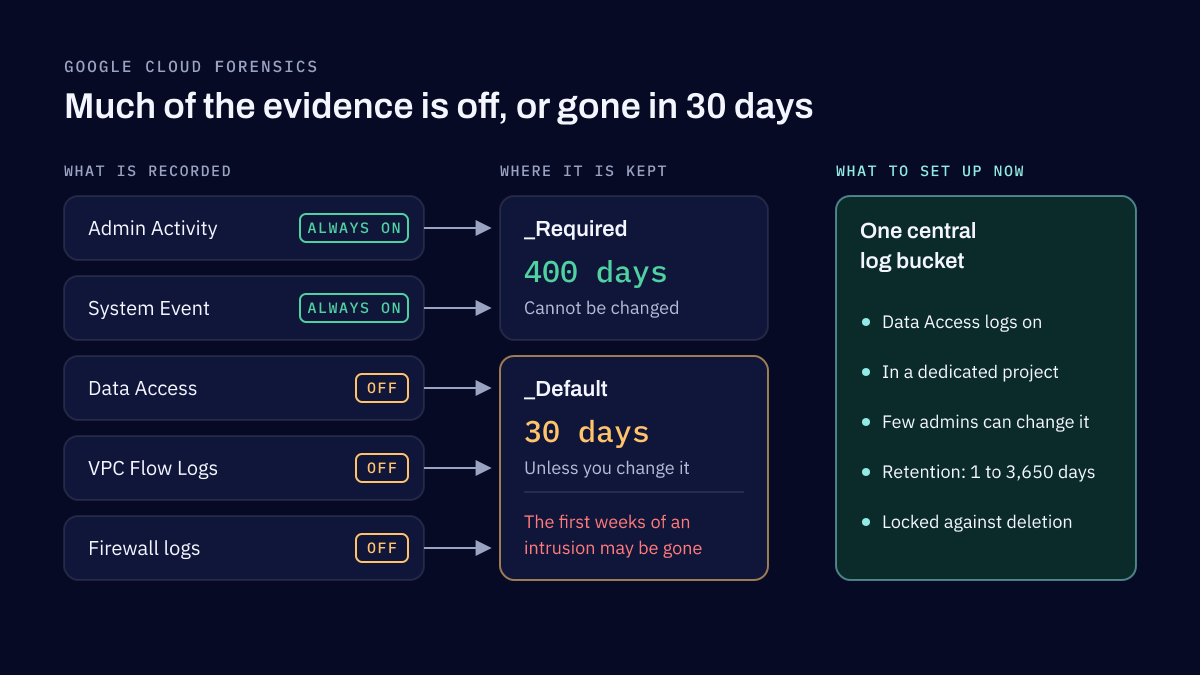
An investigation in Google Cloud can only use the evidence that was being collected before the incident. Most of the gaps are settings nobody changed, such as Data Access audit logs left off, no flow logs, short retention, and logs stored where the attacker could reach them. This article covers what to set up now.
Business Continuity
Microsoft 365 went down and Microsoft tenants were breached: can your business keep running?
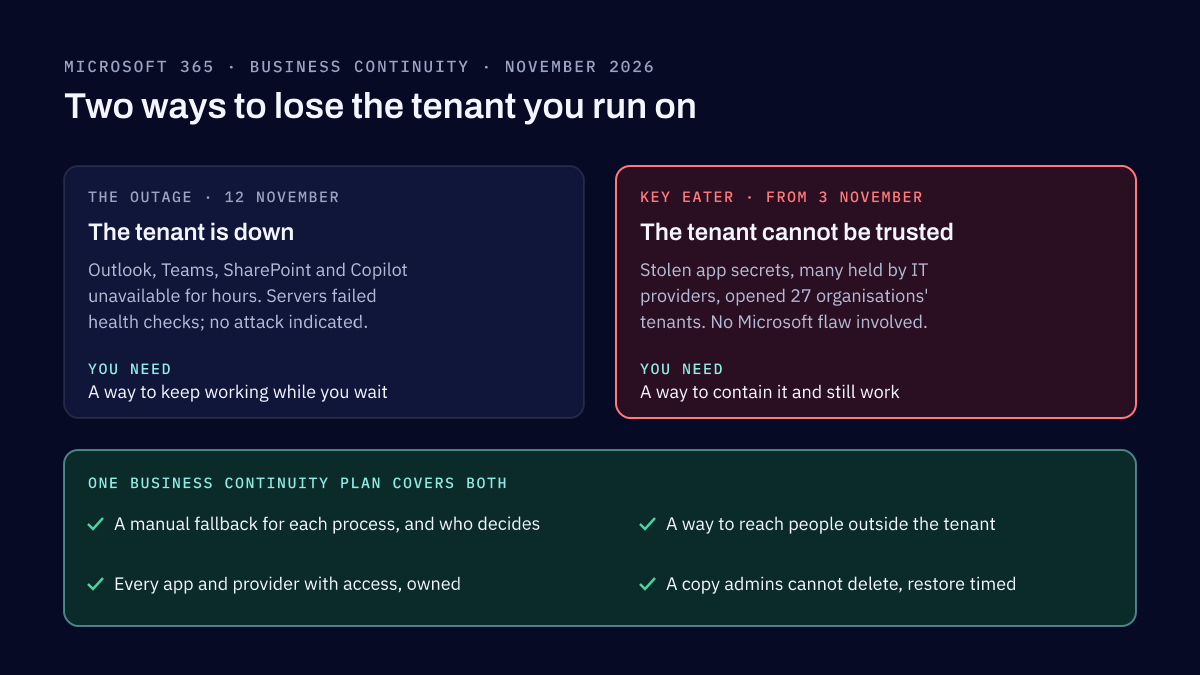
On 12 November 2026 a Microsoft 365 outage cut companies off from Outlook, Teams and Copilot for hours. The same month, stolen app credentials opened 27 organisations' Microsoft tenants, many through their IT providers. Neither was a Microsoft hack, and both test the same business continuity plan.
Tell us what you need reviewed
Name the applications, cloud accounts or data in question, and any deadline. We reply within two business days.